Windows MultiPoint Server 2011
 (codenamed Windows MultiPoint Server "2") a major release of the Microsoft Windows series of operating systems developed by Microsoft for use with school computers. Windows MultiPoint Server 2011 was intended to fix issues with Windows MultiPoint Server 2010, including its performance.
Windows MultiPoint Server 2011 was released to manufacturing on February 11, 2011, and reached general retail availability on March 10, 2011, less than one year after the release of its predecessor, Windows MultiPoint Server 2010.
On October 26, 2012, Windows MultiPoint Server 2011 was superseded by Windows MultiPoint Server 2012 which was the last release of MultiPoint Server. However, as Windows MultiPoint Server 2012 introduced significant changes in its user interface and was optimized for touch-screen devices, Windows 7 remained available for purchase until 2012, and ended support on July 12, 2016.
Unlike Windows MultiPoint Server 2010, which laid the foundation for shared resource multiseat computing, Windows MultiPoint Server 2011 was intended to be a more robust, feature-rich upgrade to the server line, with the goal of expanding connectivity options and deployment scale over a local area network (LAN). Presentations and documentation given by Microsoft focused on new desktop orchestration tools, allowing administrators to monitor active sessions through thumbnail views, block user stations, and directly broadcast or project desktops to clients. Key management utilities, including the centralized MultiPoint Manager console, split-screen layout options, and integrated support for traditional RDP thin clients or multifunction USB hubs, are standard features built into Windows MultiPoint Server 2011; its framework shares a common SDK core with concurrent releases like Windows Small Business Server 2011 and Windows Home Server 2011.
Naming
Windows MultiPoint Server 2011 is the successor to Windows MultiPoint Server 2010, and its version name is Windows NT 6.1, compared to the original release's NT 6.0 basis. Its naming caused some confusion when it was announced, as it skipped a traditional version number in favor of a year-based branding. Microsoft chose the "2011" designation to explicitly align the product with concurrent releases in the server family, such as Windows Small Business Server 2011 and Windows Home Server 2011. This naming scheme solidified its status as a direct descendant of the Windows Server 2008 R2 codebase.
Development
Background
Originally, a specialized multi-user solution known as Windows MultiPoint Server 2010 was developed as a new addition to the server lineup.
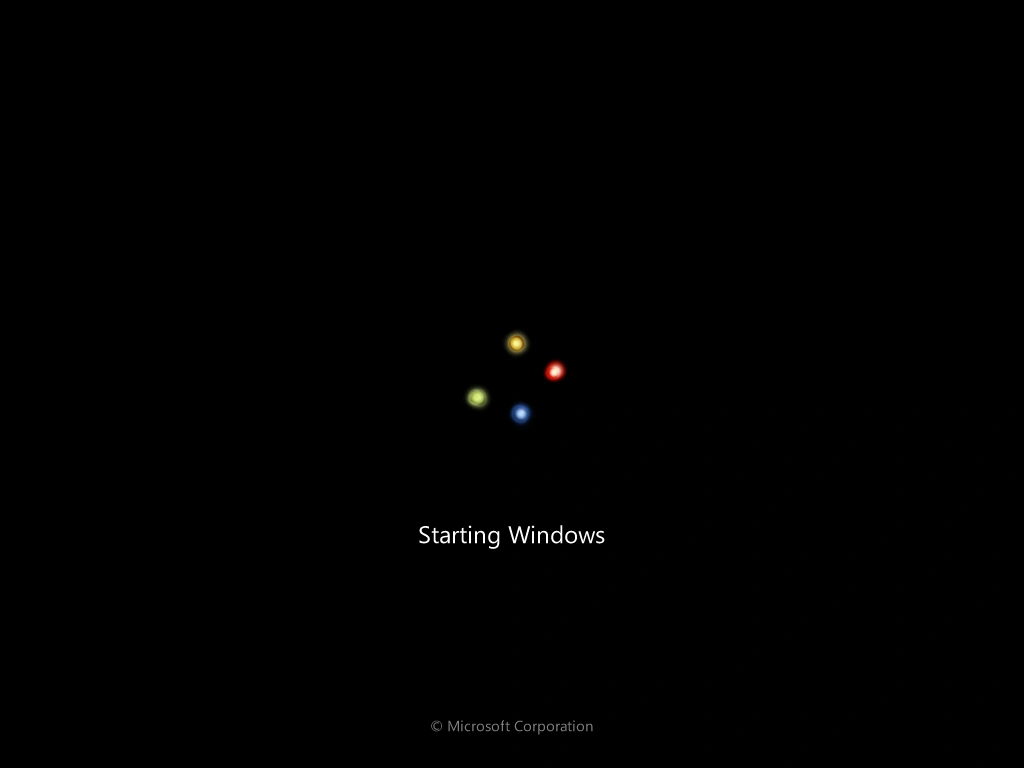

Bootscreen
Major features were planned for the platform, including an emphasis on low-cost classroom computing and a dedicated management interface to monitor connected stations. However, an upgraded minor release was planned soon after to resolve configuration bottlenecks and expand deployment options over local networks. By late 2010, Microsoft shifted development priorities to base the next iteration entirely on the stabled foundations of Windows Server 2008 R2, aligning it with modern 64-bit processing requirements and broader thin-client hardware support.
Launch and Development
When the original 2010 version was released, it faced some limitations regarding station limits, network-attached client support, and dependency on specialized USB hubs. As such, the adoption of the initial OS release remained focused on small-scale deployments. In mid-2010, reports indicated that the next version would expand into a robust server framework with a complete focus on orchestration tools. Microsoft developers noted that the upcoming software would allow administrators to monitor client screens simultaneously, project a single instructor desktop to all users, and block active stations directly from a centralized application. Development teams focused on splitting the product architecture between the core remote desktop hosting engine and the specific MultiPoint Manager application interface.
In February 2011, Microsoft announced that Windows MultiPoint Server 2011 would be the official name of the operating system. There was some minor confusion regarding the versioning, as it kept the Windows NT 6.1 kernel version to indicate its structural compatibility with existing Windows 7 hardware drivers and server software. Company executives confirmed that using this stable backend ensured that older hardware would run seamlessly without requiring new display drivers.
Demonstrations and Release
Microsoft demonstrated the new platform capabilities to education partners and technology previews during late 2010. The operating system showed massive performance improvements in handling multimedia playback across multiple simultaneous user endpoints. On February 11, 2011, Microsoft officially released Windows MultiPoint Server 2011 to manufacturing. The software was made available to volume licensing customers and educational institutions on March 10, 2011. The final release arrived as a 64-bit only operating system, solidifying its place alongside the concurrent releases of Windows Small Business Server 2011 and Windows Home Server 2011.
Features
Unlike traditional server distributions, Windows MultiPoint Server 2011 includes several direct user station features, remote administration utilities, and specific infrastructure improvements.
MultiPoint Manager
The central administrative hub is the MultiPoint Manager application, which provides a unified console for managing individual user stations. Administrators can view real-time thumbnail views of all active user desktops from a single screen. The manager application allows instructors to block specific user input, restrict web browsing capabilities, and force close unapproved background programs. It also includes utility options to project the primary administrator screen onto all connected client displays during an instructional demonstration.
Station topologies
The operating system supports multiple connection paradigms to deploy virtual desktop sessions. Users can connect to the central host computer through direct video ports, multifunction USB hubs with integrated graphics, or standard thin clients utilizing the Remote Desktop Protocol over a Local Area Network. This topology separation allows institutions to deploy independent hardware configurations depending on the layout of a classroom or laboratory infrastructure.
Split-screen support
A major usability update introduced in this edition is native support for split-screen station layouts. This capability allows a single wide monitor terminal to be divided into two separate user workspaces, each utilizing individual mouse and keyboard inputs. This utility effectively doubles the total station capacity of standard physical monitors without demanding additional client hardware expansion units.
Editions
Windows MultiPoint Server 2011 would have 2 editions which are Standard and Premium. Comparison list here:
| Maximum User Sessions | Up to 10 stations | Up to 20 stations |
| Active Directory Domain Join | Not Supported | Fully Supported |
| Hyper-V Virtualization | Not Supported | Fully Supported |
| Maximum RAM Allocation | 8 GB | 32 GB |