Microsoft Access  is a relational database management system from Microsoft which combines the relational Access Database Engine with a graphical user interface and software development tools. It is a member of the Microsoft 365 suite of applications, included in the Professional and higher editions or sold separately.
Microsoft Access stores data in its own format, based on the Access Database Engine (formerly Jet Database Engine). It can also import or link directly to data stored in other applications and databases.
Software developers, data architects, and power users can use Microsoft Access to develop application software. Like other Microsoft Office applications, Access is supported by Visual Basic for Applications (VBA), an object-based programming language that can reference a variety of objects, including the legacy DAO (Data Access Objects), ActiveX Data Objects, and many other ActiveX components. Visual objects used in forms and reports expose their methods and properties in the VBA programming environment, and VBA code modules may declare and call Windows operating system operations.
History
In the 1980s, Microsoft Access referred to an unrelated telecommunication program that provided terminal emulation and interfaces for ease of use in accessing online services such as Dow Jones and CompuServe.
With the popularization of personal computing at home and in the workplace in the 1990s, desktop databases became commonplace. Before the introduction of Access, Borland (with Paradox), Ashton-Tate (with dBase, acquired by Borland in 1991), and Fox (with FoxPro) dominated the desktop database market. Microsoft Access was the first mass-market database program for Windows. With Microsoft's purchase of FoxPro in 1992 and the incorporation of Fox's Rushmore query optimization routines into Access, Microsoft Access quickly became the dominant database for Windows – effectively eliminating the competition which failed to transition from the MS-DOS world.
Project Omega
Microsoft's first attempt to sell a relational database product was during the mid-1980s, when Microsoft obtained the license to sell R:Base. In the late 1980s, Microsoft developed its own solution codenamed Omega. It was confirmed in 1988 that a database product for Windows and OS/2 was in development. It was going to include the "EB" Embedded Basic language, which was going to be the language for writing macros in all Microsoft applications, but the unification of macro languages did not happen until the introduction of Visual Basic for Applications (VBA). Omega was also expected to provide a front end to the Microsoft SQL Server. The application was very resource-intensive, and there were reports that it was working slowly on the 386 processors that were available at the time. It was scheduled to be released in the first quarter of 1990, but in 1989, the development of the product was reset and it was rescheduled to be delivered no sooner than January 1991. Parts of the project were later used for other Microsoft projects: Cirrus (codename for Access) and Thunder (codename for Visual Basic, where the Embedded Basic engine was used). After Access's premiere, the Omega project was demonstrated in 1992 to several journalists and included features that were not available in Access.
Project Cirrus
After the Omega project was scrapped, some of its developers were assigned to the Cirrus project (most were assigned to the team that created Visual Basic). Its goal was to create a competitor for applications like Paradox or dBase that would work on Windows. After Microsoft acquired FoxPro, there were rumors that the Microsoft project might be replaced with it, but the company decided to develop them in parallel. It was assumed that the project would make use of Extensible Storage Engine (Jet Blue), but, in the end, only support for Jet Database Engine (Jet Red) was provided. The project used some of the code from both the Omega project and a pre-release version of Visual Basic. In July 1992, betas of Cirrus were shipped to developers and the name Access became the official name of the product. "Access" was originally used for an older terminal emulation program from Microsoft. Years after the program was abandoned, they decided to reuse the name here.
Timeline
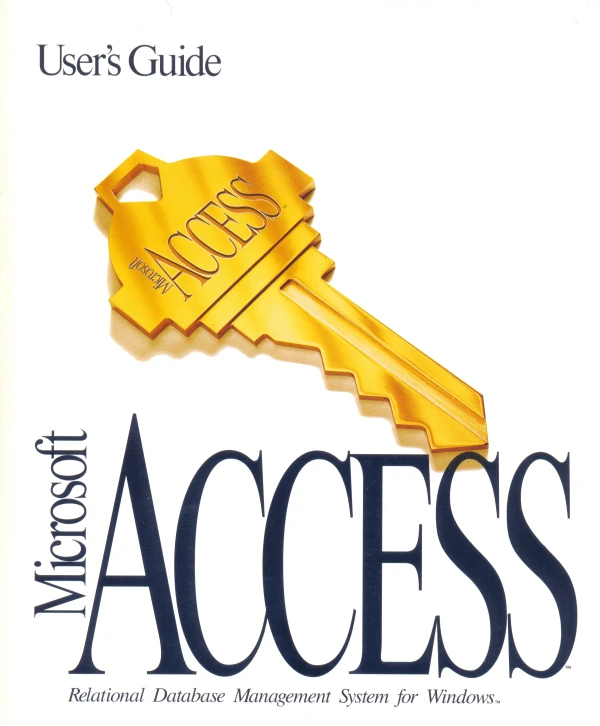

Access 1.1 Manual
Microsoft released Access version 1.0 on November 16, 1992, announcing its immediate availability at the fall Comdex trade show, and an Access 1.1 release in May 1993 to improve compatibility with other Microsoft products and to include the Access Basic programming language.
With Access v2.0, Microsoft specified the minimum hardware requirements to be Windows 3.1 with 4 MB of RAM required, 6 MB RAM recommended; 8 MB of available hard disk space required, 14 MB hard disk space recommended. The product shipped on seven 1.44 MB diskettes. The manual shows a 1994 copyright date.
As a part of Microsoft Office 4.3 Professional with Book Shelf, Access 2.0 was included with the first sample databases, "NorthWind Traders", which covered every possible aspect of programming a database. The NorthWind Traders sample first introduced the Main Switchboard features new to Access 2.0 for 1994.
With Office 95, Microsoft Access 7.0 ("Access 95") became part of the Microsoft Office Professional Suite, joining Excel, Word, and PowerPoint and transitioning from Access Basic to VBA. Since then, Microsoft has released new versions of Microsoft Access with each release of Microsoft Office.
Version 3.0 and 3.5 of Jet Database Engine (used by Access 7.0 and the later-released Access 97, respectively) had a critical issue that made these versions of Access unusable on a computer with more than 1 GB of memory. While Microsoft fixed this problem for Jet 3.5/Access 97 post-release, it never fixed the issue with Jet 3.0/Access 95.
The native Access database format (the Jet MDB Database) has also evolved over the years. Formats include Access 1.0, 1.1, 2.0, 7.0, 97, 2000, 2002, and 2007. The most significant transition was from the Access 97 to the Access 2000 format, which is not backward compatible with earlier versions of Access. As of 2011, all newer versions of Access support the Access 2000 format. New features were added to the Access 2002 format, which can be used by Access 2002, 2003, 2007, and 2010.
Microsoft Access 2000 increased the maximum database size to 2 GB from 1 GB in Access 97.
Microsoft Access 2007 introduced a new database format: ACCDB. It supports links to SharePoint lists and complex data types such as multi-value and attachment fields. These new field types are essentially recordsets in fields and allow the storage of multiple values or files in one field. Microsoft Access 2007 also introduced the File Attachment field, which stored data more efficiently than the Object Linking and Embedding (OLE) field.
Microsoft Access 2010 introduced a new version of the ACCDB format that supported hosting Access Web services on a SharePoint 2010 server. For the first time, this allowed Access applications to be run without having to install Access on a user's PC and was the first to support Mac users. Any user on the SharePoint site with sufficient rights could use the Access Web service. A copy of Access was still required for the developer to create the Access Web service, and the desktop version of Access remained part of Access 2010. The Access Web services were not the same as the desktop applications. Automation was only through the macro language (not VBA), which Access automatically converted to JavaScript. The data was no longer in an Access database but in SharePoint lists. An Access desktop database could link to the SharePoint data, so hybrid applications were possible so that SharePoint users needing basic views and edits could be supported while the more sophisticated, traditional applications could remain in the desktop Access database.
Microsoft Access 2013 offers traditional Access desktop applications plus a significantly updated SharePoint 2013 service. The Access Web model in Access 2010 was replaced by a new architecture that stores its data in actual SQL Server databases. Unlike SharePoint lists, this offers true relational database design with referential integrity, scalability, extensibility, and performance one would expect from SQL Server. The database solutions that can be created on SharePoint 2013 offer a modern user interface designed to display multiple levels of relationships that can be viewed and edited, along with resizing for different devices and support for touch. The Access 2013 desktop is similar to Access 2010, but several features were discontinued, including support for Access Data Projects (ADPs), pivot tables, pivot charts, Access data collections, source code control, replication, and other legacy features. Access desktop database maximum size has remained at 2 GB (as it has been since the 2000 version).
Microsoft Access is no longer included in the one-time purchase version of Office 2021, but remains within the Microsoft 365 counterpart, as Apps for Business and Business Standard editions. Features new to Access 2021 include an extended-precision date/time data type and dark theme support.
In addition to using its own database storage file, Microsoft Access may also be used as the "front-end" of a program while other products act as the "back-end" tables, such as Microsoft SQL Server and non-Microsoft products such as Oracle and Sybase. Multiple backend sources can be used by a Microsoft Access Jet Base (ACCDB and MDB formats). Similarly, some applications such as Visual Basic, ASP.NET, or Visual Studio .NET will use the Microsoft Access database format for their tables and queries. Microsoft Access may also be part of a more complex solution, where it may be integrated with other technologies such as Excel, Outlook, Word, PowerPoint, and ActiveX controls.
Access tables support a variety of standard field types, indices, and referential integrity, including cascading updates and deletes. Access also includes a query interface, forms to display and enter data, and reports for printing. The underlying Access database, which contains these objects, is multi-user and handles record-locking.
Repetitive tasks can be automated through macros with point-and-click options. It is also easy to place a database on a network and have multiple users share and update data without overwriting each other's work. Data is locked at the record level, which is significantly different from Excel, which locks the entire spreadsheet.
There are template databases within the program and available for download from Microsoft's website. These options are available upon starting Access and allow users to enhance a database with predefined tables, queries, forms, reports, and macros. Database templates support VBA code, but Microsoft's templates do not include VBA code.
Programmers can create solutions using VBA, which is similar to Visual Basic 6.0 (VB6) and used throughout the Microsoft Office programs, such as Excel, Word, Outlook, and PowerPoint. Most VB6 code, including the use of Windows API calls, can be used in VBA. Power users and developers can extend basic end-user solutions to a professional solution with advanced automation, data validation, error trapping, and multi-user support.
The number of simultaneous users that can be supported depends on the amount of data, the tasks being performed, the level of use, and the application design. Generally accepted limits are solutions with 1 GB or less of data (Access supports up to 2 GB), and it performs quite well with 100 or fewer simultaneous connections (255 concurrent users are supported). This capability is often a good fit for department solutions. If using an Access database solution in a multi-user scenario, the application should be "split". This means that the tables are in one file called the back end (typically stored on a shared network folder) and the application components (forms, reports, queries, code, macros, linked tables) are in another file called the front end. The linked tables in the front-end point to the back-end file. Each user of the Access application would then receive their own copy of the front-end file.
Applications that run complex queries or analysis across large datasets would naturally require greater bandwidth and memory. Microsoft Access is designed to scale to support more data and users by linking to multiple Access databases or using a back-end database like Microsoft SQL Server. With the latter design, the amount of data and users can scale to enterprise-level solutions.
Microsoft Access's role in web development before version 2010 is limited. User interface features of Access, such as forms and reports, only work in Windows. In versions 2000 through 2003, an Access object type called Data Access Pages created publishable web pages. Data Access Pages are no longer supported. The Jet Database Engine, core to Access, can be accessed through technologies such as Open Database Connectivity (ODBC) or OLE DB. The data (i.e., tables and queries) can be accessed by web-based applications developed in ASP.NET, PHP, or Java. With the use of Microsoft's Terminal Services and Remote Desktop Application in Windows Server 2008 R2, organizations can host Access applications so they can be run over the web. This technique does not scale the way a web application would, but is appropriate for a limited number of users depending on the configuration of the host.
Access 2010 allows databases to be published to SharePoint 2010 websites running Access Services. These web-based forms and reports run in any modern web browser. The resulting web forms and reports, when accessed via a web browser, do not require any add-ins or extensions (e.g., ActiveX and Silverlight).
Access 2013 can create web applications directly in SharePoint 2013 sites running Access Services. Access 2013 web solutions store their data in an underlying SQL Server database, which is much more scalable and robust than the Access 2010 version, which used SharePoint lists to store its data.
Access Services in SharePoint has since been retired.
A compiled version of an Access database (file extensions .MDE /ACCDE or .ADE; ACCDE only works with Access 2007 or later) can be created to prevent users from accessing the design surfaces to modify module code, forms, and reports. An MDE or ADE file is a Microsoft Access database file with all modules compiled and all editable source code removed. Both the .MDE and .ADE versions of an Access database are used when end-user modifications are not allowed or when the application's source code should be kept confidential.
Microsoft also offers developer extensions for download to help distribute Access 2007 applications, create database templates, and integrate source code control with Microsoft Visual SourceSafe.
Uses
Access is used by small businesses, within departments of large corporations, and hobby programmers to create ad hoc customized desktop systems for handling the creation and manipulation of data. Access can be used as a database for basic web based applications hosted on Microsoft's Internet Information Services and utilizing Microsoft Active Server Pages ASP. Most typical web applications should use tools like ASP/Microsoft SQL Server.
Some professional application developers use Access for rapid application development, especially for the creation of prototypes and standalone applications that serve as tools for on-the-road salesmen. Access does not scale well if data access is via a network, so applications that are used by more than a handful of people tend to rely on client-server-based solutions. However, an Access "front end" (the forms, reports, queries and VB code) can be used against a host of database backends, including JET (file-based database engine, used in Access by default), Microsoft SQL Server, Oracle, and any other ODBC-compliant product.
Many developers who use Access use the Leszynski naming convention, though this is not universal; it is a programming convention, not a DBMS-enforced rule.[2] It is also made redundant by the fact Access categorises each object automatically and always shows the object type, by prefixing Table: or Query: before the object name when referencing a list of different database objects.
MS Access should not be used over a wireless link as this can cause failure and data corruption.
Features
One of the benefits of Access from a programmer's perspective is its relative compatibility with SQL (structured query language) —queries may be viewed and edited as SQL statements, and SQL statements can be used directly in Macros and VBA Modules to manipulate Access tables. In this case, "relatively compatible" means that SQL for Access contains many quirks, and as a result, it has been dubbed "Bill's SQL" by industry insiders. Users may mix and use both VBA and "Macros" for programming forms and logic and offers object-oriented possibilities.
MSDE (Microsoft SQL Server Desktop Engine) 2000, a mini-version of MS SQL Server 2000, is included with the developer edition of Office XP and may be used with Access as an alternative to the Jet Database Engine.
Unlike a complete RDBMS, the Jet Engine lacks database triggers and stored procedures. Starting in MS Access 2000 (Jet 4.0), there is a syntax that allows creating queries with parameters, in a way that looks like creating stored procedures, but these procedures are limited to one statement per procedure. Microsoft Access does allow forms to contain code that is triggered as changes are made to the underlying table (as long as the modifications are done only with that form), and it is common to use pass-through queries and other techniques in Access to run stored procedures in RDBMSs that support these.
In ADP files (supported in MS Access 2000 and later), the database-related features are entirely different, because this type of file connects to a MSDE or Microsoft SQL Server, instead of using the Jet Engine. Thus, it supports the creation of nearly all objects in the underlying server (tables with constraints and triggers, views, stored procedures and UDF-s). However, only forms, reports, macros and modules are stored in the ADP file (the other objects are stored in the back-end database).
Development
Access allows relatively quick development because all database tables, queries, forms, and reports are stored in the database. For query development, Access utilizes the Query Design Grid, a graphical user interface that allows users to create queries without knowledge of the SQL programming language. In the Query Design Grid, users can "show" the source tables of the query and select the fields they want returned by clicking and dragging them into the grid. Joins can be created by clicking and dragging fields in tables to fields in other tables. Access allows users to view and manipulate the SQL code if desired.
The programming language available in Access is, as in other products of the Microsoft Office suite, Microsoft Visual Basic for Applications. Two database access libraries of COM components are provided: the legacy Data Access Objects (DAO), which was superseded for a time (but still accessible) by (ADO) ActiveX Data Objects however (DAO) has been reintroduced in the latest version, MS Access 2007.
MS Access can be applied to small projects but scales poorly to larger projects involving multiple concurrent users because it is a desktop application, not a true client-server database. When a Microsoft Access database is shared by multiple concurrent users, processing speed suffers. The effect is dramatic when there are more than a few users or if the processing demands of any of the users are high. Access includes an Upsizing Wizard that allows users to upsize their database to Microsoft SQL Server if they want to move to a true client-server database. It is recommended to use Access Data Projects for most situations.
Since all database queries, forms, and reports are stored in the database, and in keeping with the ideals of the relational model, there is no possibility of making a physically structured hierarchy with them.
One recommended technique is to migrate to SQL Server and utilize Access Data Projects. This allows stored procedures, views, and constraints - which are greatly superior to anything found in Jet. Additionally this full client-server design significantly reduces corruption, maintenance and many performance problems.
Access allows no relative paths when linking, so the development environment should have the same path as the production environment (though it is possible to write a "dynamic-linker" routine in VBA that can search out a certain back-end file by searching through the directory tree, if it can't find it in the current path). This technique also allows the developer to divide the application among different files, so some structure is possible.
Versions
| Date | Version name | Version number | Supported OS | Corresponding office suite |
|---|---|---|---|---|
| 1992 | Access 1.0 | 1.0 | Windows 3.0 | |
| 1993 | Access 1.1 | 1.1 | Windows 3.1 | |
| 1994 | Access 2.0 | 2.0 | Windows 3.1 | Office 4.3 Pro |
| 1995 | Access 95 | 7.0 | Windows 95 | Office 95 Pro |
| 1997 | Access 97 | 8.0 | Windows 95, NT 3.51 SP5 and up | Office 97 Pro/Developer |
| 1999 | Access 2000 | 9.0 | Windows 95, NT 4.0 and up | Office 2000 Pro/Premium/Developer |
| 2001 | Access 2002 | 10 | Windows 98, NT 4.0 SP6 and up | Office XP Pro/Developer |
| 2003 | Access 2003 | 11 | Windows 2000 SP3 and up | Office 2003 Pro/Pro Enterprise |
| 2007 | Access 2007 | 12 | Windows XP SP2 and up | Office 2007 Pro/Pro Plus/Ultimate/Enterprise |
| 2010 | Access 2010 | 14 | Windows XP SP3 and up | Office 2010 Pro/Pro Academic/Pro Plus |
| 2012 | Access 2013 | 15 | Windows 7 and up | Office 2013 Pro/Pro Plus |
| 2015 | Access 2016 | 16 | Windows 7 and up | Office 2016 Pro/Pro Plus |
| 2018 | Access 2019 | 16 | Windows 10 | Office 2019 Pro/Pro Plus |
| 2021 | Access 2021 | 16 | Windows 10 and up | Office 2021 Pro |
Note: There is no Access 3.0 to 6.0 because the Windows 95 version was launched with Word 7. All of the Office 95 products have OLE 2 capabilities, and Access 7 shows that it was contemporary with Word 7.
Misc.
External links
- Microsoft Access at Microsoft 365
- Microsoft Access at Wikipedia
 |
Wikipedia
|
|---|