Microsoft Office 2007  (codenamed Office 12[3]) is a version of Microsoft Office, a family of office suites and productivity software for Microsoft Windows, developed and published by Microsoft. It was released to manufacturing on November 3, 2006,[4] made available for volume licensing customers on November 30, 2006,[5] and released for retail on January 30, 2007 (the same release date as Windows Vista).[1] It was preceded by Office 2003 and succeeded by Office 2010. An equivalent for Mac OS X, Microsoft Office 2008 for Mac, was released.
Office 2007 introduced a new graphical user interface called the Fluent User Interface, which uses ribbons and an Office menu instead of menu bars and toolbars.[6] Office 2007 also introduced Office Open XML file formats as the default file formats in Excel, PowerPoint, and Word. The new formats are intended to facilitate the sharing of information between programs, improve security, reduce the size of documents, and enable new recovery scenarios.[7]
Office 2007 is compatible with Windows XP SP2 and Windows Server 2003 SP1 and later. It is the last version of Microsoft Office to support Windows XP SP2, Windows Server 2003 SP1, and Windows Vista RTM.
Office 2007 also includes new applications and server-side tools. Chief among these is Microsoft Office Groove, a collaboration and communication suite for smaller businesses that was originally developed by Groove Networks before being acquired by Microsoft in 2005. Also included is Office SharePoint Server 2007, a major revision to the server platform for Office applications. It supports "Excel Services", a client-server architecture for supporting Excel workbooks that are shared in real time between multiple machines and are also viewable and editable through a web page.
While Office 2007 includes many new features, Microsoft FrontPage has been removed from the Office suite entirely. It has been replaced by Microsoft SharePoint Designer, which is aimed towards the development of SharePoint portals. Another Microsoft program, Microsoft Expression Web, is targeted for general web development. However, neither application is included in the Office 2007 suites.
Speech recognition functionality has been removed from the individual programs in the Office 2007 suite. Users must install a previous version of Office to use speech recognition features.
Support for Office 2007 ended on October 10, 2017. On August 27, 2021, Microsoft announced that Outlook 2007 and Outlook 2010 would be cut off from connecting to Microsoft 365 Exchange servers on November 1, 2021.
Development
The first beta of Microsoft Office 2007, referred to as Beta-1 in emails sent to a limited number of testers, was released on November 16, 2005. The Beta-1 Technical Refresh was released to testers on March 13, 2006. The Technical Refresh fixed issues in installing with Windows Vista build 5308. Office 2007 Beta 2 was announced by Bill Gates at WinHEC 2006, and was initially released to the public at no cost from Microsoft's website. However, because of an unprecedented number of downloads, a fee of $1.50 (£0.79) was introduced for each product downloaded after August 2, 2006.
The beta was updated on September 14, 2006, in Beta 2 Technical Refresh (Beta2TR). It included an updated user interface, better accessibility support, improvements in the robustness of the platform, and greater functionality. The beta versions continued to function in a reduced functionality mode after February 1, 2007. If users downloaded the Technical Refresh to update Beta 2, then users could use its full functionality until March 31, 2007, for client products and May 15, 2007, for server products.
The Beta program ended on November 8, 2006, when Microsoft declared the product "Released to Manufacturing" (RTM) and started manufacturing the final product. After the RTM, the availability of the beta download ended. Office 2007 was released to enterprise users on November 30, 2006, and to end users on January 30, 2007.[1] The last security updates were released on April 10, 2018.
Service packs
Since the initial release of Microsoft Office 2007, three service packs containing updates as well as additional features have been released. Microsoft Office 2007 Service Packs are cumulative, so previous Service Packs are not a prerequisite for installation.[8]
Service Pack 1 was released on December 11, 2007.[9] Official documentation claims that SP1 is not simply a rollup of publicly released patches, but that it also contains fixes for a total of 481 issues throughout the entire Office suite.[10] Service Pack 2 was released on April 28, 2009, which improved support for ODF, XPS, and PDF standards and fixed several bugs.[11][12] Service Pack 3 was released on October 25, 2011.[2]
Editions
Office 2007 is distributed in eight editions (Feature Comparison (archived 2008-01-06)):
| Edition | Availability | Retail box |
|---|---|---|
| Microsoft Office Ultimate 2007 | Retail | 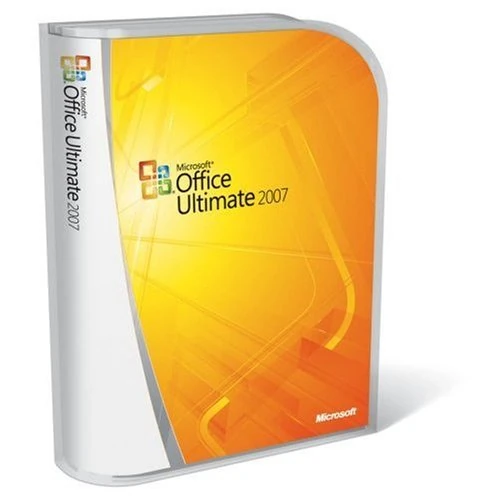
|
| Microsoft Office Enterprise 2007 | Volume License only | Picture not available |
| Microsoft Office Professional Plus 2007 | Volume License only | Picture not available |
| Microsoft Office Professional 2007 | Retail | 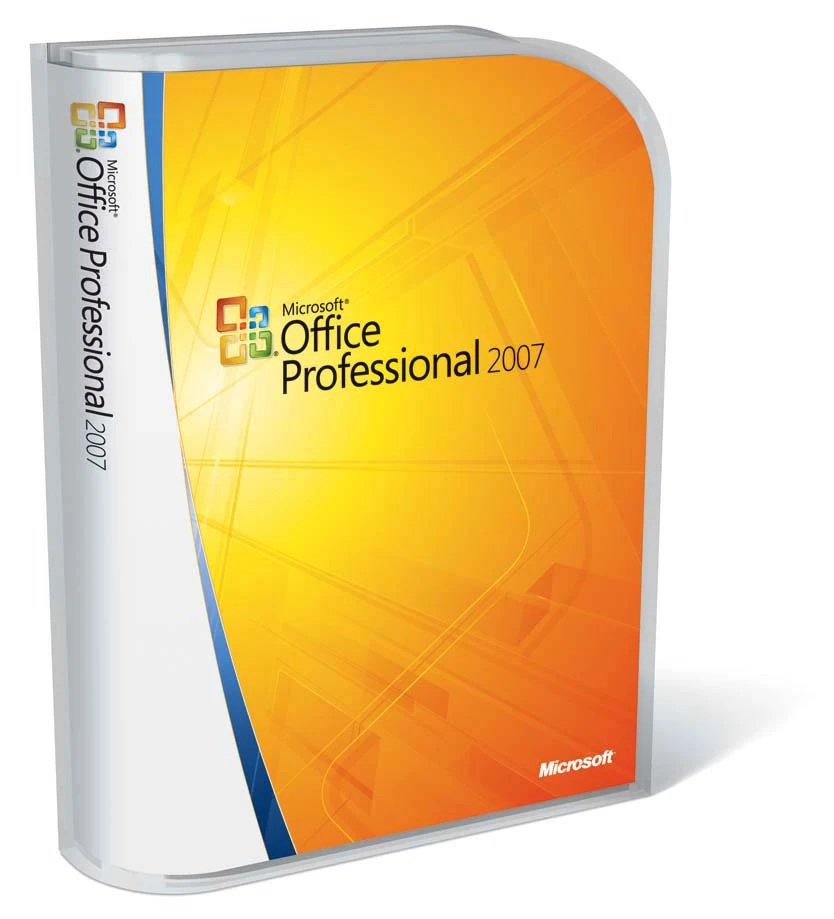
|
| Microsoft Office Small Business 2007 | Retail | 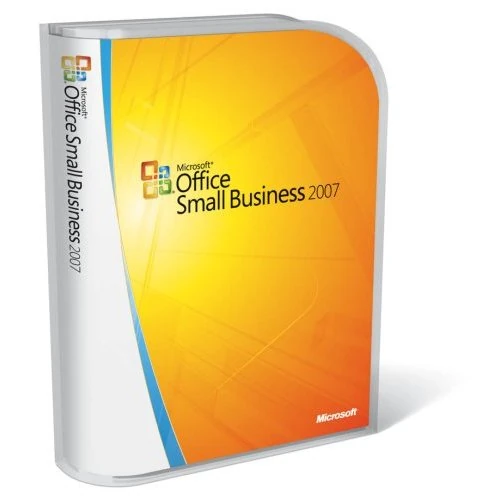
|
| Microsoft Office Standard 2007 | Retail | 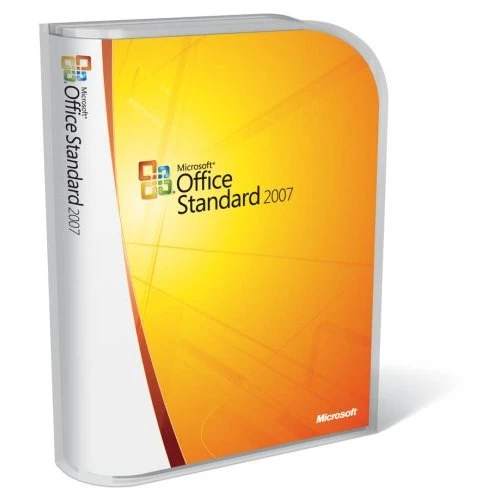
|
| Microsoft Office Home and Student 2007 | Retail / OEM | 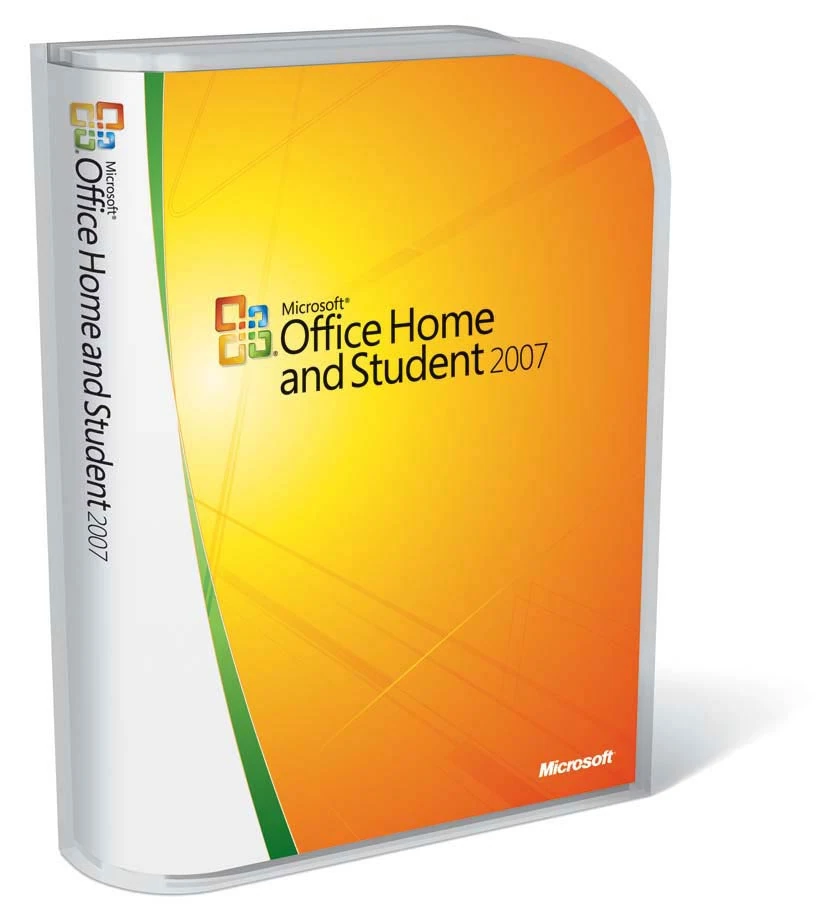
|
| Microsoft Office Basic 2007 | OEM only |  |

Notes:
- Additional tools include: Enterprise Content Management, Electronic Forms, and Windows Rights Management Services capabilities
- As noted on the packaging, below the comparison grid on the back, the OEM and Retail Home and Student 2007 edition is not licensed for commercial, non-profit, or any revenue-generating use. This is displayed in the actual programs themselves with a line of text after the program name.
New features
User interface
The new result-oriented user interface (UI), officially known as Fluent User Interface, is featured in the core applications of Microsoft Office 2007: Word, Excel, PowerPoint, Access, and the item inspector used to create or edit individual items in Outlook. These applications were selected for the UI overhaul, because they center around document authoring and present a multitude of options to the same regard. The rest of the applications in the suite were upgraded to the new UI in subsequent versions. According to Microsoft, the new UI centers on the principle of helping people focus on what they want to do, rather than bothering with the details of how to do it. The default font used in this version is Calibri.
Office Button
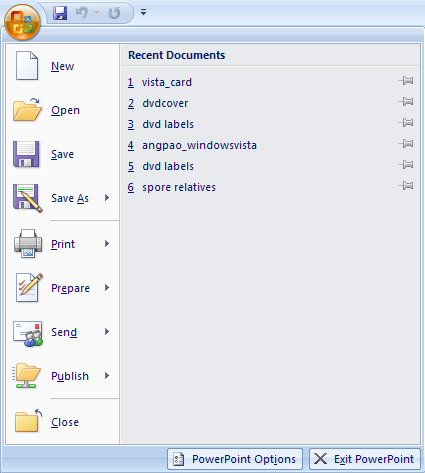

Office Button
The Office 2007 button, located on the top-left of the window, replaces the File menu and provides access to functionality common across all Office applications, including Opening, Saving, Printing, and Sharing a file, among other options. Users can also choose color schemes for the interface.
Ribbon


Non-commercial banner in Microsoft Word 2007
The Ribbon, a panel that houses the command buttons and icons, organizes commands as a set of tabs, with each grouping relevant commands. Each application has a different set of tabs which expose the functionality that application offers. For example, while Excel has a tab for the Graphing capabilities, Word instead has tabs to control the formatting of the document. Within each tab, various related options may be grouped together. The Ribbon is designed to make the features of the application more discoverable and accessible with fewer mouse clicks as compared to the menu-based UI used in prior versions of Microsoft Office.
Since January 23, Microsoft has used the name Microsoft Office Fluent to describe the Ribbon interface, as well as other interface additions, in Microsoft Office 2007.

Contextual Tabs
Some tabs, called Contextual Tabs, appear only when certain objects are selected. Contextual Tabs expose functionality specific only to the object with focus. For example, selecting a picture brings up the Pictures tab, which presents options for dealing with the picture. Similarly, focusing on a table exposes table-related options in a specific tab. Contextual tabs remain hidden when the object it works on are not selected.
Live Preview
Microsoft Office 2007 also introduces a feature called "Live Preview", which temporarily applies formatting on the focused text or object, when any formatting button is moused-over. The temporary formatting is removed when the mouse pointer is moved from the button. This allows users to have a preview of how the option would affect the appearance of the object, without actually applying it.
Mini Toolbar
The new "Mini Toolbar" is a type of context menu that is automatically shown (by default) when text is selected. The purpose of this feature is to provide easy access to the most-used formatting commands without requiring a right-mouse-button click as was necessary in older versions of the software. Since the Mini Toolbar is automatically shown, it remains semi-transparent until the mouse pointer is situated on the control, in order to allow an almost-unobstructed view of what is beneath it. It also appears above the right-click menu when a user right-clicks on a selection of words.
Other UI features
- Super-tooltips, which can house formatted text as well as images, are used to provide detailed descriptions of what most buttons do.
- The Quick Access toolbar, which sits in the title bar, serves as a repository of most used functions, regardless of which application is being used, such as save, undo/redo and print.
- Zoom slider, present in the bottom-right corner, allowing for dynamic and rapid magnification of a document.
File formats
Microsoft Office uses a new file format, called Office OpenXML, as the default file format. It is based on XML and uses the ZIP file container. According to Microsoft, documents created in this format are up to 75% smaller than the same documents saved with previous Microsoft Office file formats, owing to data compression.
Word documents without macro extensions are now saved using a .docx extension rather than the traditional .doc extension. Files containing macros are saved with the extension .docm. Users can save 2007 Word documents in the old format so that they will still be usable in previous versions of Word. For documents already saved in the new format, users must download a free document format converter program from Microsoft to allow older versions of Word to open them.
Microsoft had initially announced that it will support export to Portable Document Format (PDF) in Office 2007. However, due to legal objections from Adobe Systems, Office 2007 did not have PDF support built-in, but rather as a separate free download. Office 2007 documents can also be exported as XPS documents, via another free plug-in that is also a separate download.
Microsoft backs an open-source effort to support OpenDocument in Office 2007, as well as earlier versions, and also through a converter add-in for other programs, which works by having third-party programs call a command-line utility. The project only supports conversions between OpenDocument Text and Office Open XML Word documents.
User Assistance System
In Microsoft Office 2007, the Office Assistants have been completely removed. A new help system was created to assist users in creating documents. One feature of the new help system is the extensive use of Super Tooltips, which briefly explains what each function performs. Some Tooltips also use diagrams or pictures. These appear and disappear like normal tooltips, and replace normal tooltips in many areas.
Collaboration features
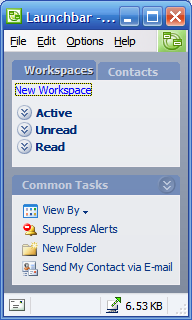

Microsoft Office Groove 2007
Microsoft Office 2007 includes features geared towards collaboration and data sharing. As such, Microsoft Office 2007 features server components for applications such as Excel, which work in conjunction with SharePoint Services, to provide a collaboration platform. SharePoint works with Microsoft Office SharePoint Server 2007, which is used to host a SharePoint site, and uses IIS and ASP.NET 2.0.
SharePoint can also be used to host Word documents for collaborative editing, by sharing a document. SharePoint can also be used to hold PowerPoint slides in a Slide Library, from which the slides can be used as a formatting template. It will also notify users of a slide automatically in case the source slide is modified. Also by using SharePoint, Powerpoint can manage shared review of presentations. Any SharePoint hosted document can be accessed from the application which created the document or from other applications such as a browser or Microsoft Office Outlook.
Excel server exposes Excel Services, which allows any worksheet to be created, edited and maintained via web browsers. It features Excel Web Access, the client-side component which is used to render the worksheet on a browser, Excel Calculation Service which is the server side component which populates the worksheet with data and perform calculations, and Excel Web Service that exposes Excel functionalities as individual web services.
Microsoft Office 2007 also includes Groove, which brings collaborative features to a peer-to-peer paradigm. Groove can host documents, including presentations, workbooks and others, created in Microsoft Office 2007 application in a shared workspace, which can then be used in collaborative editing of documents. Groove can also be used in managing workspace sessions, including access control of the workspace. To collaborate on one or more documents, a Workspace has to be created, and then those who are to work on it have to be invited. Any file shared on the workspace are automatically shared among all participants.
Microsoft Office Groove also provides real-time messaging, including one-to-one as well as group messaging, and presence features, as well as monitoring workspace activities with alerts, which are raised when pre-defined set of activities are detected. Groove also provides features for conflict resolution for conflicting edits. Schedules for a collaboration can also be decided by using a built-in shared calendar, which can also be used to keep track of the progress of a project. However, the calendar is not compatible with Microsoft Outlook.
Themes and Quick Styles
Microsoft Office 2007 places a huge emphasis on Document Themes and Quick Styles. The Document Theme defines the colors, fonts and graphic effects for a document. The new Office Theme file format (.THMX) is shared between Word, Excel, PowerPoint and Outlook email messages. Almost everything that can be inserted into a document is automatically styled to match the overall document theme creating a consistent document design. Similar themes are also available for data reports in Access and Project or shapes in Visio.
Quick Styles are galleries with a range of styles based on the current theme. There are quick styles galleries for text, tables, charts, SmartArt, WordArt and other elements. The style range goes from simple/light to more graphically/darker.
Application-specific changes
Microsoft Word
- Main article: Microsoft Word
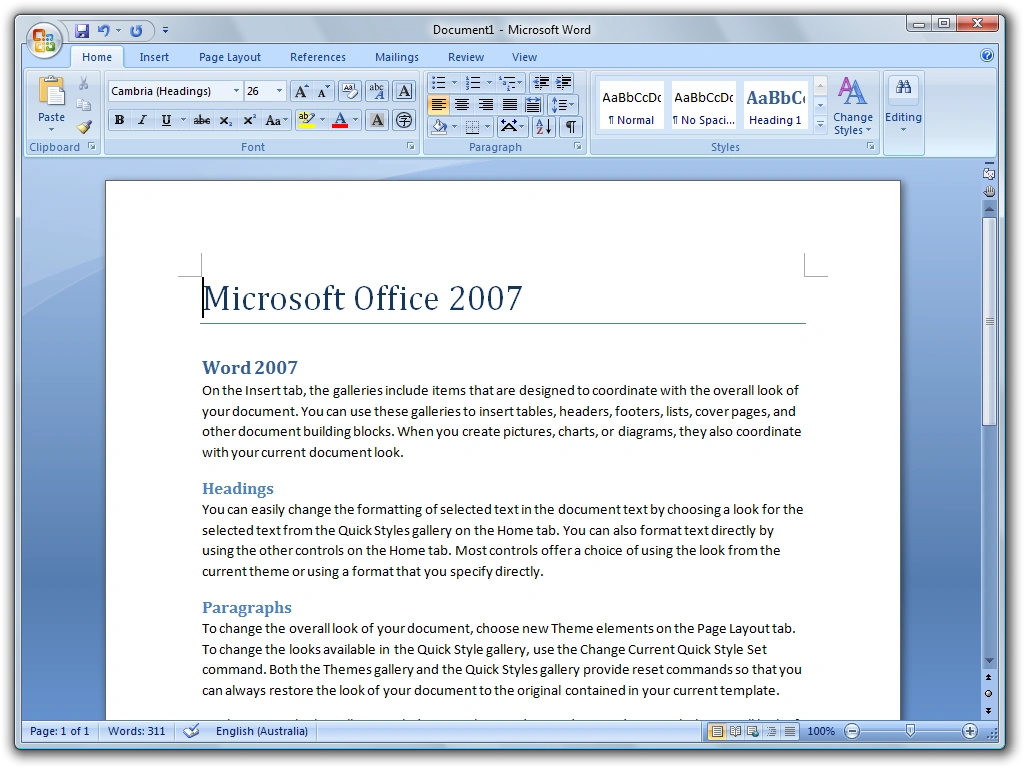

Microsoft Word 2007
- Blog entries can be authored in Word itself and uploaded directly to a blog. Supported blogging sites include Windows Live Spaces, Wordpress, SharePoint, Blogger, Community Server etc.
- All new professional style sheets (quick styles) and ability to switch easily among them.
- Word count listed by default in the status bar. The word count dynamically updates as you type.
- New contextual spell checker sometimes catches incorrect usage of correctly spelled words, such as in "I think we will loose this battle".
- Translation tool tip option available for English (U.S.), French (France), and Spanish (International Sort). When selected, hovering the mouse cursor over a word will display its translation in the particular language. Non-English versions have different sets of languages. Other languages can be added by using a separate multilingual pack.
- Automated generation of citations and bibliographies according to defined style rules, including APA, Chicago, and MLA. Changing style updates all references automatically. Connect to web services to access online reference databases.
- Rearchitected native mathematical equation support with TeX-like linear input/edit language or GUI interface. Also supports the Unicode Plain Text Encoding of Mathematics.
- Preset gallery of cover pages with fields for Author, Title, Date, Abstract, etc. Cover pages follow the theme of the document (found under the Page Layout tab).
- Document comparison engine updated to support moves, differences in tables, and also easy to follow tri-pane view of original document, new document, and differences.
- Full screen reading layout that shows two pages at a time with maximal screen usage, plus a few critical tools for reviewing.
- Document Inspector which strips Word documents of information such as author name and comments and other "metadata".
- Building Blocks, which lets one save frequently used content, so that they are easily accessible for further use. Building blocks can have data mapped controls in them to allow for form building or structured document authoring.
Microsoft Outlook
- Main article: Microsoft Outlook
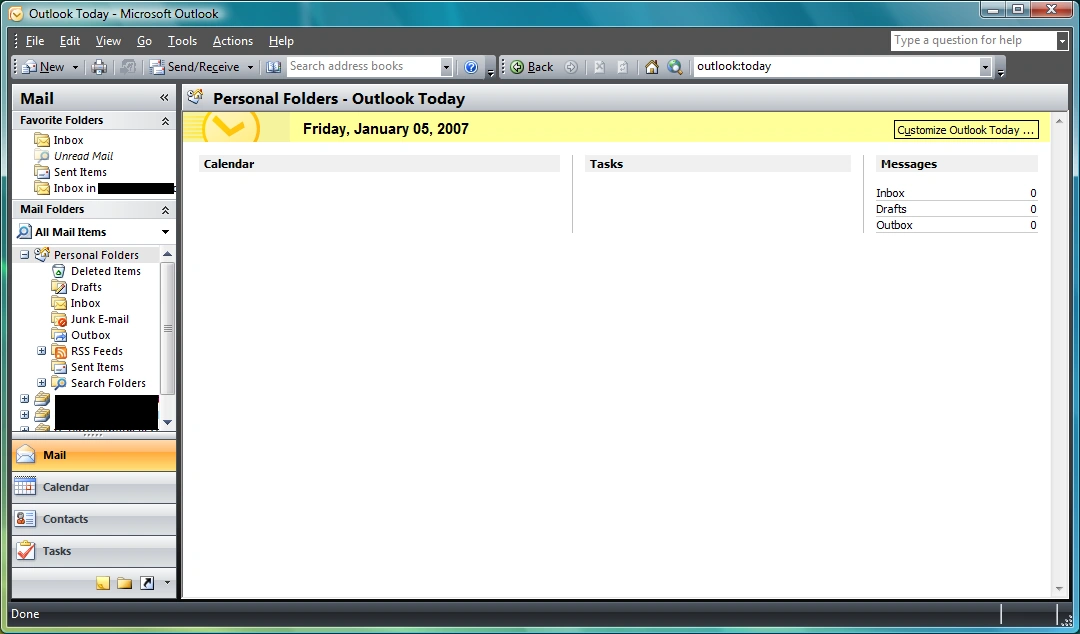

Microsoft Outlook 2007
- As a major change in Outlook 2007, Exchange 5.5 support has been dropped. Like Evolution, Outlook Express and Entourage, Outlook now works only with Exchange 2000 and above.
- Outlook now indexes (using the Windows Search APIs) the e-mails, contacts, tasks, calendar entries, RSS feeds and other items, to speed up searches. As such, it features word-wheeled search, which displays results as characters are being typed in.
- Search folders, which are saved searches, have been updated to include RSS feeds as well. Search folders can be created with a specific search criteria, specifying the subject, type and other attributes of the information being searched. When a search folder is opened, all matching items for the search are automatically retrieved and grouped up.
- Outlook now supports text-messages and SMSs, when used in conjunction with Exchange Server 2007 Unified Messaging.
- Outlook includes a reader for RSS feeds, which used the Windows Common Feeds Store. RSS subscription URLs can be shared via e-mails. RSS feed updates can also be pushed to a mobile device.
- Outlook can now support multiple calendars being worked with, simultaneously. It also includes a side-by-side view for calendars, where each calendar is displayed in a different tab, and allows easy comparison of them. Outlook also supports web calendars. Calendars can be shared with other users.
- Calendar view shows which tasks are due.
- Flagged e-mails and notes can also be converted to Task items.
- Outlook includes a To Do Bar, which integrates the calendar, appointments and tasks items, in a concise view.
- Online or Offline editing of all Microsoft office 2007 documents via a SharePoint site. All edits are automatically synchronized.
- Contacts can be shared among users, via e-mail, Exchange server or a SharePoint site.
- Attachment preview allows users to view Office e-mail attachments in the reading pane rather than having to open another program.
- HTML in e-mails is now rendered using the Microsoft Word rendering engine which disallows several HTML tags like object, script, iframe etc. along with several CSS properties.
Microsoft Outlook can also include an optional Business Contact Manager which allows management of business contacts and their sales and marketing activities. Phone calls, e-mails, appointments, notes and other business metrics can be managed for each contact. It can also keep a track of billable time for each contact on the Outlook Calendar. Based on these data, a consolidated report view can be generated by Microsoft Outlook with Business Contact Manager. The data can be further analyzed using Microsoft Excel. This data can also be shared using SharePoint services.
Microsoft Excel
- Main article: Microsoft Excel
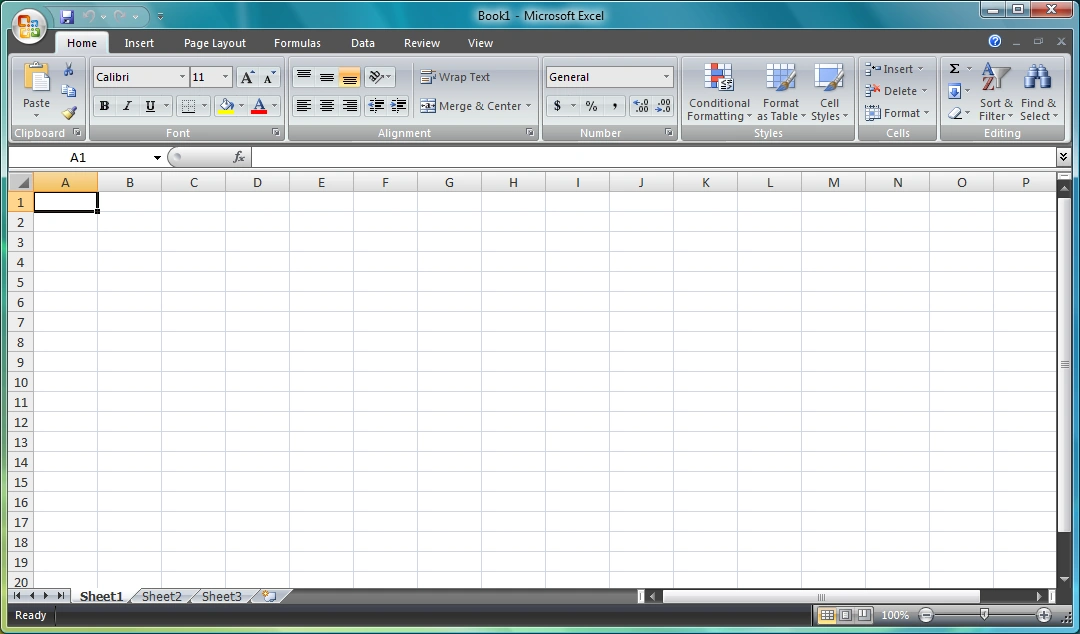

Microsoft Excel 2007
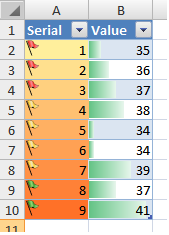

Color Scales and Data Bars in Excel 2007
- Support up to 1,048,576 rows and 16,384 columns in a single worksheet, with 32,767 characters in a single cell (17,179,869,184 cells in a worksheet, 562,932,773,552,128 characters in a worksheet)
- Conditional Formatting introduces support for three new features — Color Scales, Icon Sets and Data Bars
- Color Scales, which automatically color the background of a group of cells with different colors according to the values.
- Icon sets, which precede the text in a cell with an icon that represent some aspect of the value of the cell with respect to other values in a group of cells, can also be applied. Icons can be conditionally applied to show up only when certain criteria is met, such as a cross showing up on an invalid value, where the condition for invalidity can be specified by the user.
- Data Bars show as a gradient bar in the background of a cell the contribution of the cell value in the group.
- Column titles can optionally show options to control the layout of the column.
- Multithreaded calculation of formulae, to speed up large calculations, especially on multi-core/multi-processor systems.
- User Defined Functions (UDF), which are custom functions written to supplement Excel's set of built-in functions, supports the increased number of cells and columns. UDFs now can also be multithreaded. Server side UDFs are based on the .NET Managed code.
- Importing data from external sources, such as a database, has been upgraded. Data can also be imported from formatted tables and reports, which do not have a regular grid structure.
- Formula Autocomplete, automatically suggests function names, arguments and named ranges, and automatically completing them if desired, based on the characters entered. Formulae can refer to a table as well.
- CUBE functions which allow importing data, including set aggregated data, from data analysis services, such as SQL Server Analysis Services.
- Page Layout view, to author spreadsheets in a way that mirrors the formatting that will be applied when printed.
- PivotTables, which are used to create analysis reports out of sets of data, can now support hierarchical data by displaying a row in the table with a "+" icon, which, when clicked, shows more rows regarding it, which can also be hierarchical. PivotTables can also be sorted and filtered independently, and conditional formatting used to highlight trends in the data.
- Filters, now includes a Quick filter option allowing the selection of multiple items from a drop down list of items in the column. The option to filter based on color has been added to the choices available.
- Excel features a new charting engine, which supports advanced formatting, including 3D rendering, transparencies and shadows. Chart layouts can also be customized to highlight various trends in the data.
Microsoft PowerPoint
- Main article: Microsoft PowerPoint
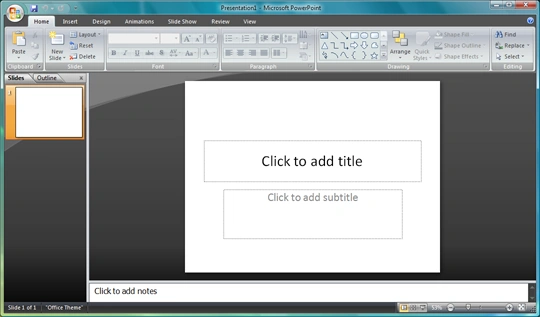

Microsoft PowerPoint 2007
- Improvements to text rendering to support text based graphics.
- Rendering of 3D graphics.
- Support for tables and enhanced support for table pasting from Excel.
- Slide Library, which lets you reuse any slide or presentation as a template. Any presentation or slide can be published to the Slide Library.
- Any custom-designed slide library can be saved.
- Presentations can be digitally signed.
- Improved Presenter View.
- Added support for Widescreen Slides.
- Allows addition of custom placeholders.
Microsoft OneNote
- Main article: Microsoft OneNote
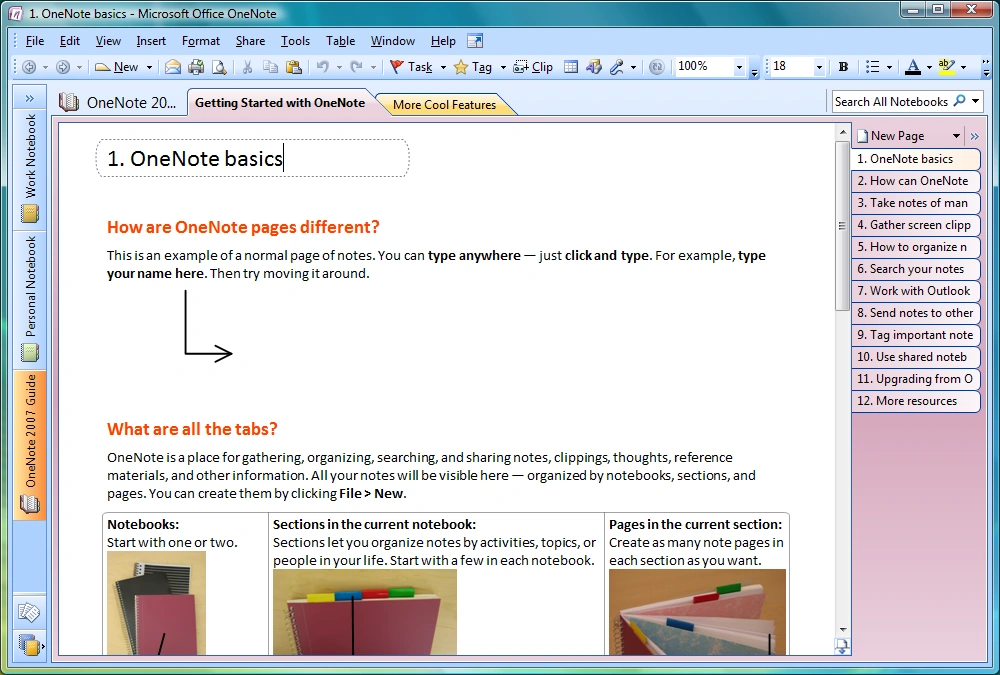

Microsoft OneNote 2007
- OneNote now supports multiple notebooks.
- Notebooks can be shared across multiple computers. Anyone can edit even while not connected and changes are merged automatically across machines when a connection is made. Changes are labeled with author and change time/date.
- Notebook templates.
- Word-wheeled search is also present in OneNote, which also indexes notes.
- Synchronization of Tasks with Outlook 2007. Also Outlook can send mails to OneNote, or open pages in OneNote that are linked to tasks, contacts, appointments/meetings.
- Support for tables. Using tabs to create tabular structure automatically converts it to a table.
- OCR is performed on images (screen clips, photos, scans) so that any text in them is searchable.
- Audio and video recordings are also tagged and indexed, so that they can be searched.
- Notes can have hyperlinks among themselves, or from outside OneNote to a specific point on a page.
- Embedding documents in notes.
- Extensibility support for add-ins.
- Drawing tools for creating diagrams in OneNote.
- Typing any arithmetic expression, followed by "=" results in the result of the calculation being displayed.
- Send to Microsoft OneNote, via which any application can print to a virtual printer for OneNote and the "printed" document is imported to the notebook, and any text is indexed for searching.
- OneNote Mobile is included for Smartphones and some PocketPC devices. Syncs notes two-way with OneNote. Takes text, voice, and photo notes.
Microsoft Access
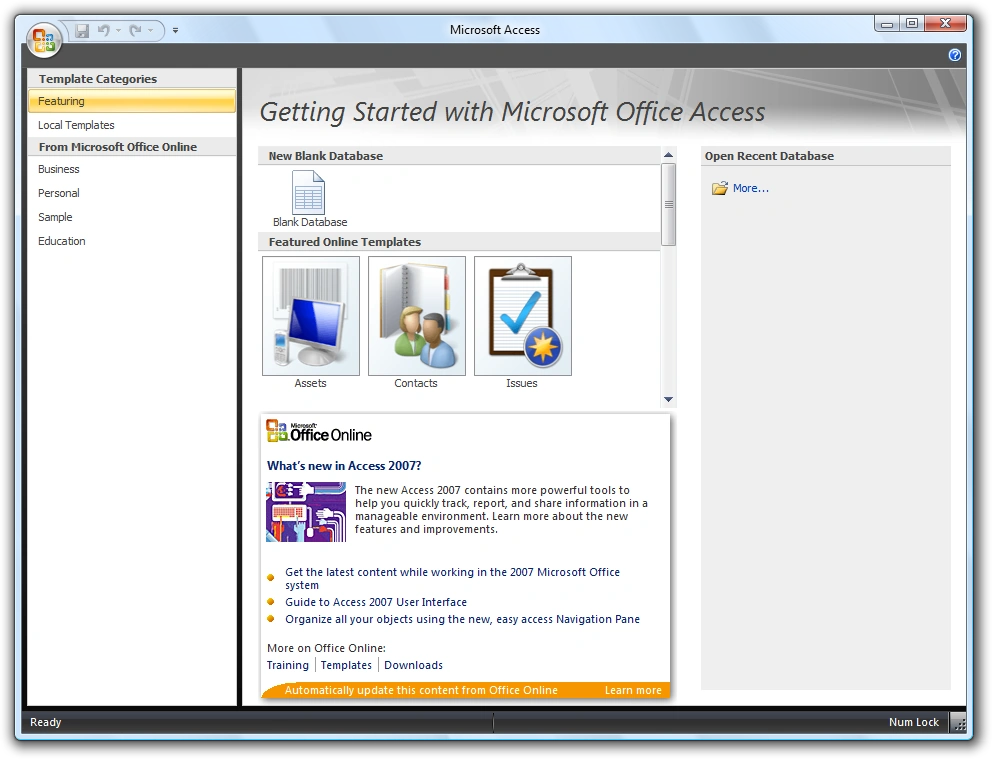

Microsoft Access 2007
- Access now includes support for a broader range of data types, including documents and images.
- Referential integrity checks. If any information is entered which doesn't have a related entry in another table, Access offers to either remove the entry or update the other table. (Note: This feature has existed since Access 2.0)
- Whenever any table is updated, all reports referencing the table are also updated.
- Dropdown lists for a table can be modified in place.
- Lookup Fields, which get their values by "looking up" some value in a table, have been updated to support multi valued lookups.
- Many new preset schemata are included.
- Access can synchronize with Windows SharePoint Services 3.0 and Office SharePoint Server 2007. This feature enables a user to use Access reports while using a server-based, backed-up, IT managed version of the data.
Microsoft Publisher
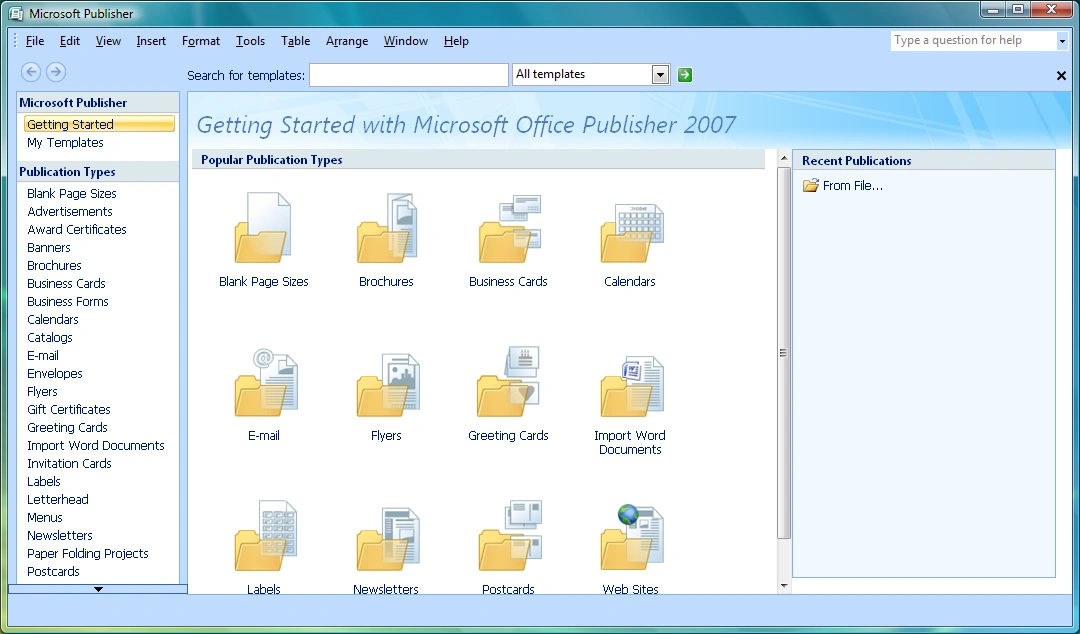

Microsoft Publisher 2007
- Templates automatically fill out with information such as company name, logo etc., wherever applicable.
- Frequently used content can be stored in Content Store for quick access.
- A document can be automatically converted from one publication type, such as a newsletter, to another publication type, say a web page.
- Save as PDF supports commercial printing quality PDF.
- Catalog Merge can create publication content automatically by retrieving data, including text, images and other supported types, from an external data source.
- Design Checker, which is used to find design inconsistencies, has been updated.
Microsoft InfoPath
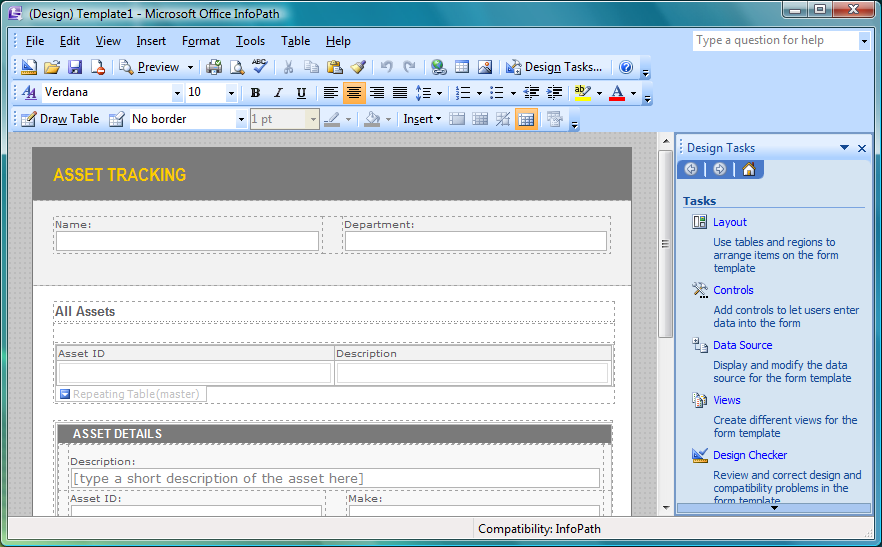

Microsoft InfoPath 2007
- InfoPath designed forms can now be used from a browser.
- A form can be sent out to people via e-mail. Such forms can be filled out from Outlook 2007 itself.
- Automatic conversion of forms in Word and Excel to InfoPath forms. Forms can also be exported to Excel.
- Forms can be published to a network share or to SharePoint server.
- Adding data validation, using validation formulae, and conditional formatting features without manually writing code.
- Print Layout view for designing forms in a view that mirror the printed layout. Such forms can be opened using Word as well.
- Ability to use Microsoft SQL Server, Microsoft Office Access, or other databases as back-end data repository.
- Multiple views for the same forms, to expose different features to different class of users.
- Template Parts, used to group Office InfoPath controls for use later. Template parts retain its XML schema.
Microsoft Visio
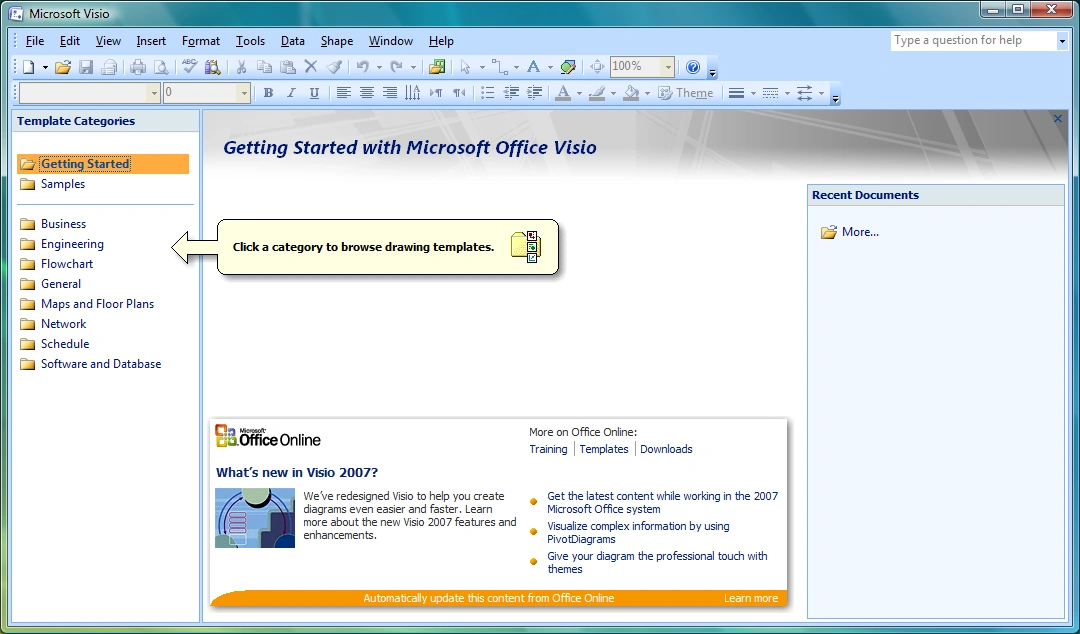

Microsoft Visio 2007
- PivotDiagrams, which are used to visualize data, show data groups and hierarchichal relationships.
- Visual modification of PivotDiagrams by dragging data around levels, to restructure the data relationships.
- PivotDiagrams can show aggregate statistical summaries for the data and show them.
- Shapes can be linked with external data sources. Doing so, the shapes are formatted according to the data. The data, and hence the shapes, are updated periodically. Such shapes can also be formatted manually using the Data Graphics feature.
- AutoConnect : Link easily two shapes.
- Data Link : Link data to shapes.
- Data Graphics : Dynamic objects (text and images) linked with external data.
- New Theme behaviour and new shapes.
Microsoft Project
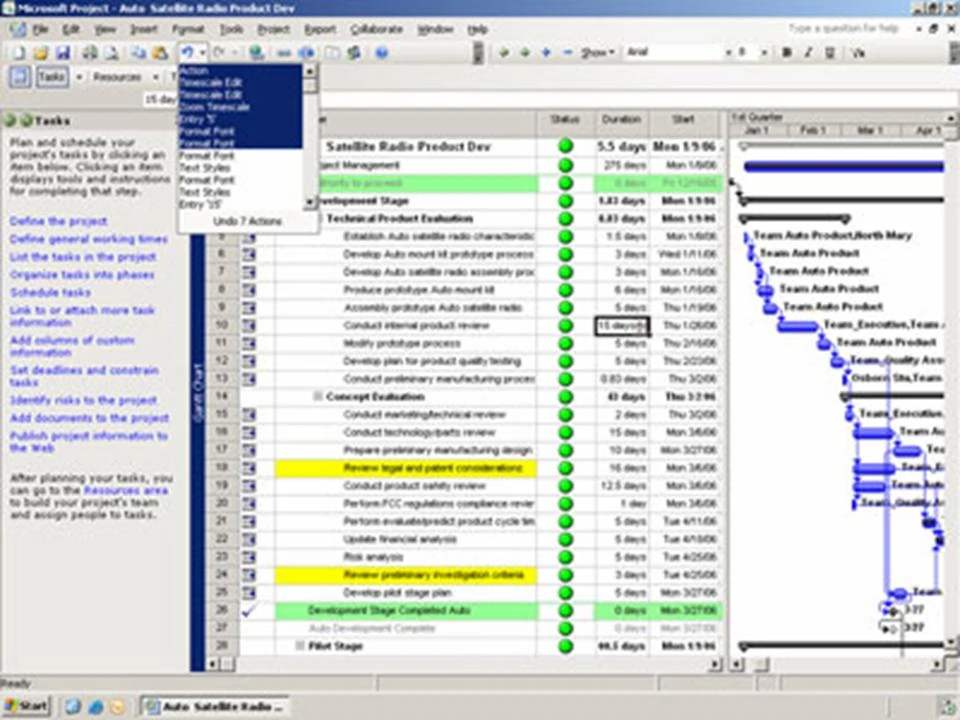

Microsoft Project 2007
- Ability to create custom templates.
- Any change in the project plan or schedule highlights everything else that is affected.
- Analyze changes without actually committing them. Changes can also be done and undone programmatically, to automate analysis of different changes.
- Improved cost resource management and analysis for projects.
- Project data can be used to automatically create charts and diagrams in Microsoft Excel and Microsoft Visio, respectively.
- The project schedule can be managed as 3D Gantt chart.
- Sharing project data with the help of SharePoint services.
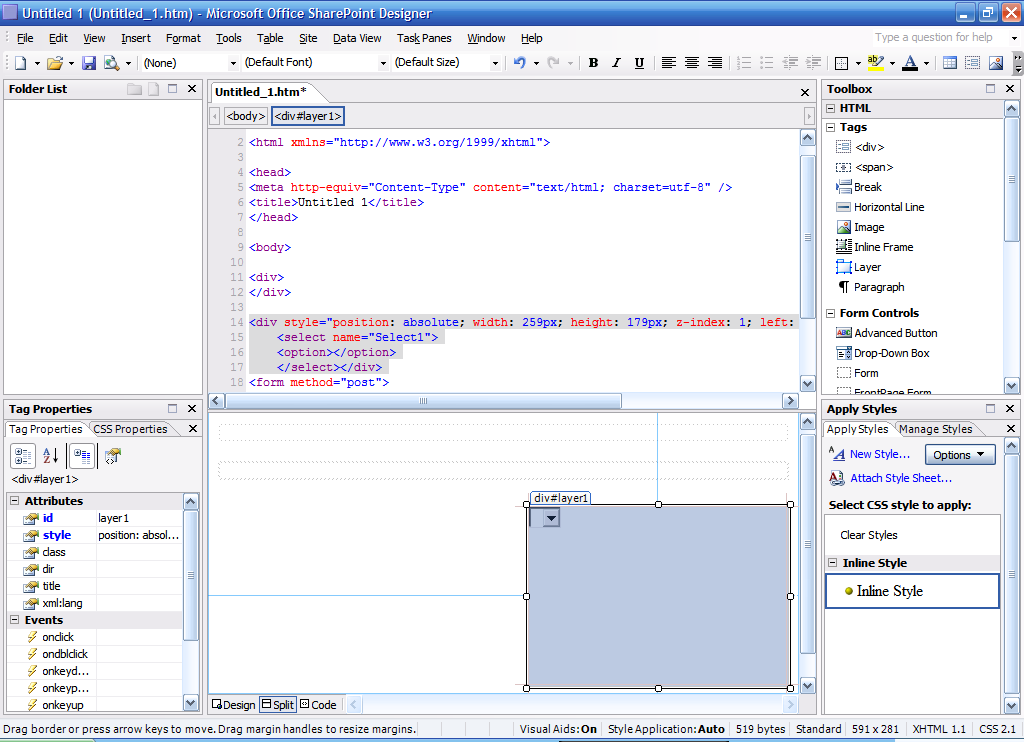

Microsoft Office SharePoint Designer 2007
Microsoft Office SharePoint Designer 2007 is a new addition to the Office suite replacing discontinued FrontPage for users of SharePoint. People who don't use SharePoint can use Microsoft Expression Web.
- Supports features and constructs that expose SharePoint functionality.
- Supports ASP.NET 2.0 and Windows Workflow Foundation.
- Support for creating workflows and data reports, from external data sources.
- Allows XML data to be displayed using XSLT
Server Components
Microsoft SharePoint Server 2007 allows sharing and collaborative editing of Office 2007 documents. It allows central storage of documents and management of Office documents, throughout the enterprise. These documents can be accessed either by the applications which created them, Microsoft Office Outlook 2007, or a web browser. Documents can also be managed through pre-defined policies that let users create and publish shared content, through a SharePoint site.
SharePoint Server allows searching of all Office documents which are being managed by it, centrally, thereby making data more accessible. It also provides access control for documents. Specialized server components can plug into the SharePoint server to extend the functionality of the server, such as Excel Services exposing data analysis services for Excel services. Data from other data sources can also be merged with Office data.
SharePoint also lets users personalize the SharePoint sites, filtering content they are interested in. SharePoint documents can also be locally cached by clients for offline editing; the changes are later merged.
Forms Server 2007
Microsoft Forms Server 2007 allows InfoPath forms to be accessed and filled out using any browser, including mobile phone browsers. Forms Server 2007 also supports using a database or other data source as the back-end for the form. Additionally, it allows centralized deployment and management of forms. Forms Server 2007 hosted forms also support data validation and conditional formatting, as does their InfoPath counterpart. It also supports advanced controls like Repeating section and Repeating table. However, some InfoPath controls cannot be used if it has to be hosted on a Forms server.
Groove Server 2007
Microsoft Office Groove Server 2007 is for centrally managing all deployments of Microsoft Office Groove 2007 in the enterprise. It enables using Active Directory for Groove user accounts, and create Groove Domains, with individual policy settings.
Project Server 2007
Microsoft Project Server 2007 allows one to centrally manage and coordinate projects. It allows budget and resource tracking, and activity plan management. The project data and reports can also be further analyzed using Cube Building Service. The project management data can be accessed from a browser as well.
Project Portfolio Server 2007
Microsoft Project Portfolio Server 2007 allows creation of a project portfolio, including workflows, hosted centrally, so that the information is available throughout the enterprise, even from a browser. It also aids in centralized data aggregation regarding the project planning and execution, and in visualizing and analyzing the data to optimize the project plan. It can also support multiple portfolios per project, to track different aspects of it. It also includes reporting tools to create consolidated reports out of the project data.
PerformancePoint Server 2007
Microsoft Performance Management allows users to monitor, analyze, and plan their business as well as drive alignment, accountability, and actionable insight across the entire organization. It includes features for scorecards, dashboards, reporting, analytics, budgeting and forecasting, among others.
References
- ↑ 1.0 1.1 1.2 "Microsoft Launchs Windows Vista and Microsoft Office 2007 to Consumers Worldwide". News Center. Microsoft. January 29, 2007. Archived from the original on September 24, 2017.
- ↑ 2.0 2.1 Keizer, Gregg (October 26, 2011). "Microsoft ships final Office 2007 service pack". Computerworld. IDG. Archived from the original on September 15, 2017.
- ↑ Montalbano, Elizabeth (February 15, 2006). "It's Official: Office '12' to Become Office 2007". PC World. IDG. Archived from the original on September 24, 2015.
- ↑ Harris, Jensen (November 6, 2006). "Office 2007 Released to Manufacturing". MSDN. Microsoft. Archived from the original on November 10, 2016.
- ↑ Montalbano, Elizabeth (November 30, 2006). "Microsoft Windows Vista, Office 2007 Released to Businesses". CIO Magazine. IDG. Archived from the original on November 10, 2016.
- ↑ "The Microsoft Office Fluent user interface overview". Microsoft. Archived from the original on March 5, 2010.
- ↑ Rice, Frank (May 2006). "Introducing the Office (2007) Open XML File Formats". MSDN. Microsoft. Archived from the original on November 10, 2016.
- ↑ "Description of the 2007 Office suite SP3 and of Office Language Pack 2007 SP3". Microsoft Support. Microsoft. Archived from the original on March 10, 2015.
- ↑ "Description of the 2007 Microsoft Office suite Service Pack 1". Microsoft Support. Microsoft. Archived from the original on January 7, 2017.
- ↑ "Office 2007 Service Pack 1 - Changes" (XLS format). Microsoft. 2007.
- ↑ "Office Service Pack 2 A Significant Stability, Performance and Interoperability Upgrade". Microsoft News Center. Microsoft. April 28, 2009.
- ↑ "Microsoft Expands List of Formats Supported in Microsoft Office". Microsoft News Center. Microsoft. May 21, 2008. Archived from the original on August 5, 2016.
| History • Website • Microsoft Product Activation • Genuine Advantage |
| Windows |
| 3.0 • 95 • 97 • 2000 • XP • 2003 • 2007 • 2010 • 2013 • 2016 • 2019 • 2021 |
| Mac OS/OS X/macOS |
| 3.0 • 4.2 • 98 • 2001 • X • 2004 • 2008 • 2011 • 2016 • 2019 • 2021 |
| Applications (List) |
| Desktop |
| Access • Excel (Viewer) • InfoPath • Lync • OneNote • Outlook (Hotmail Connector • Add-ins) • PowerPoint (Viewer) • Project • Publisher • SharePoint (Designer • Workspace) • Visio • Word (Viewer) |
| Server |
| Forms Server • Groove Server • Lync Server • PerformancePoint Server • Project Server • Project Portfolio Server • SharePoint Server • Excel Services • InfoPath Forms Services |
| Mobile |
| Office Mobile |
| Online |
| Live Meeting • Office Live • Office Web Apps • Outlook Web App • Office 365 • Outlook.com |
| Office tools |
| Microsoft Office shared tools • Ribbon Hero • Ribbon Hero 2 |
| Discontinued |
| Accounting • Document Imaging • Entourage • FrontPage • Microsoft InterConnect • Liquid Motion • Mail • Office Assistants • Microsoft PhotoDraw • Photo Editor • Schedule+ • Snapshot Viewer for Access • Microsoft Vizact |
| Related products |
| Works • MapPoint • Search Server • Language Packs |
| Technologies |
| Information Bridge Framework • Object Linking and Embedding • Office Open XML • Office XML formats • Smart tags • Visual Basic for Applications |