- Not to be confused with Microsoft Anti-Virus.
Microsoft Defender - Extended Detection and Response (XDR) - Microsoft Ignite 2020


Current icon used since 2025.


Previous icon used until 2025.
Microsoft Defender (formerly known as Windows Defender and Microsoft AntiSpyware) is an antivirus software component from Microsoft that is designed to remove and quarantine malicious software in Microsoft Windows. It was first released as a downloadable free anti-spyware program for Windows XP and was shipped with Windows Vista and Windows 7. It has evolved into a full antivirus program, replacing Microsoft Security Essentials in Windows 8 and later versions.
In March 2019, Microsoft announced Microsoft Defender ATP for Mac for business customers to protect their Mac devices from attacks on a corporate network; a year later, to expand protection for mobile devices, it announced Microsoft Defender ATP for Android and iOS devices, which incorporates Microsoft SmartScreen, a firewall, and malware scanning. The mobile version of Microsoft Defender also includes a feature that blocks access to corporate data if it detects that a malicious app is installed.
History
Microsoft AntiSpyware (Beta 1)
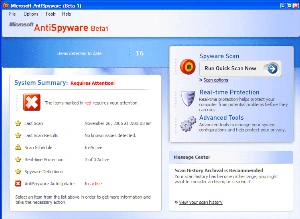

Microsoft AntiSpyware Beta 1 (version 1.0.701) running on Windows XP
Windows Defender was initially based on GIANT AntiSpyware, formerly developed by GIANT Company Software, Inc. Microsoft announced the company's acquisition on December 16, 2004. When the original GIANT AntiSpyware officially supported older Windows versions, support for the Windows 9x line of operating systems was later dropped by Microsoft.
The first beta release of Microsoft AntiSpyware from January 6, 2005, was a repackaged version of GIANT AntiSpyware. There were more builds released in 2005, with the last Beta 1 refresh released on November 21, 2005.
At the 2005 RSA Security conference, Bill Gates, the Chief Software Architect and co-founder of Microsoft, announced that Microsoft AntiSpyware would be made available free-of-charge to users with validly licensed Windows 2000, Windows XP, and Windows Server 2003 operating systems to secure their systems against the increasing malware threat.
Windows Defender (Beta 2)
On November 4, 2005, it was announced that Microsoft AntiSpyware was renamed to Windows Defender. Windows Defender (Beta 2) was released on February 13, 2006. It featured the program's new name and a redesigned user interface. The core engine was rewritten in C++, unlike the original GIANT-developed AntiSpyware, which was written in Visual Basic; this change improved the application's performance. Also, since Beta 2, the program works as a Windows service, unlike earlier releases, which enabled the application to protect the system even when a user is not logged in. Beta 2 also requires Windows Genuine Advantage (WGA) validation. However, Windows Defender (Beta 2) did not contain some of the tools found in Microsoft AntiSpyware (Beta 1). Microsoft removed the System Inoculation, Secure Shredder, and System Explorer tools found in MSAS (Beta 1) as well as the Tracks Eraser tool, which allowed users to easily delete different types of temporary files related to Internet Explorer 6, including HTTP cookies, web cache, and Windows Media Player playback history. German and Japanese versions of Windows Defender (Beta 2) were later released by Microsoft.
Windows Defender - Release
On October 23, 2006, Microsoft released the final version of Windows Defender. It supports Windows XP and Windows Server 2003; however, unlike the betas, it does not run on Windows 2000. Some of the key differences from the beta version are improved detection, a redesigned user interface, and delivery of definition updates via Automatic Updates.
Windows Defender can remove installed ActiveX software. It featured an integrated support for Microsoft SpyNet that allows users to report to Microsoft what they consider to be spyware, and what applications and device drivers they allow to be installed on their systems.
Windows Defender - Vista
Windows Vista included several security functionalities related to Windows Defender. Some of the functionality was removed in subsequent versions of Windows.
Security agents
Security agents that monitor the computer for malicious activities:
- Auto Start: monitors lists of programs that are allowed to automatically run when the user starts the computer
- System Configuration (settings): monitors security-related settings in Windows
- Internet Explorer Add-ons: monitors programs that automatically run when the user starts Internet Explorer
- Internet Explorer Configurations (settings): monitors browser security settings
- Internet Explorer Downloads: monitors files and programs that are designed to work with Internet Explorer
- Services and Drivers: monitors services and drivers as they interact with Windows and programs
- Application Execution: monitors when programs start and any operations they perform while running
- Application Registration: monitors tools and files in the operating system where programs can register to run at any time
- Windows Add-ons: monitors add-ons programs for Windows
Software Explorer
The Advanced Tools section allows users to discover potential vulnerabilities with a series of Software Explorers, which provide views of startup programs, currently running software, network-connected applications, and Winsock providers (Winsock LSPs).
In each Explorer, every element is rated as either "Known", "Unknown", or "Potentially Unwanted". The first and last categories carry a link to learn more about the particular item, and the second category invites users to submit the program to Microsoft SpyNet for analysis by community members. The Software Explorer feature has been removed from Windows Defender in Windows 7.
Conversion to full antivirus
Windows Defender was released with Windows Vista and Windows 7, serving as their built-in anti-spyware component. In Windows Vista and Windows 7, Windows Defender was superseded by Microsoft Security Essentials, an antivirus product from Microsoft which protected a wider range of malware. Upon installation, Microsoft Security Essentials disabled and replaced Windows Defender.
In Windows 8, Microsoft upgraded Windows Defender into an antivirus program similar to Microsoft Security Essentials for Windows 7, and it also uses the same anti-malware engine and virus definitions from MSE. Microsoft Security Essentials itself does not run on Windows versions beyond 7. In Windows 8 and later, Microsoft Defender Antivirus is on by default. It switches itself off upon installation of a third-party anti-virus package.
Following the consumer end launch, Windows Server 2016 was the first version of Windows Server to include Windows Defender.
Ongoing evolution of UI and brands
UI changes
Until Windows 10 version 1703, Windows Defender had a dedicated GUI similar to Microsoft Security Essentials. Additionally, Security and Maintenance tracked the status of Windows Defender. With the first release of Windows 10, Microsoft removed the "Settings" dialog box from Windows Defender's GUI in favor of a dedicated page in the Settings app. In the 1703 update, Microsoft tried to merge both Windows Defender's GUI and Windows Security and Maintenance into a unified UWP app called Windows Defender Security Center (WDSC). Users could still access the original GUI through alternative methods until the 1803 update, which saw the UI removed altogether. The Security and Maintenance control panel entry however, is still available in Windows 11; it contains links to reliability and performance monitoring, which is of the telemetry (one of the countless Vista major innovations) and allows to examine in depth issues detected, to the maintenance tools, File History, UAC Settings and Recovery (among others).
With the release of Windows Server 2016, Microsoft introduced a Defender module for PowerShell, which allows interacting with Windows Defender via a command-line interface (CLI).
Microsoft continued to decouple the management front-end from the core antivirus. In addition to WDSC and PowerShell, it is possible to manage the antivirus via Windows Admin Center, Group Policy, WMI, Microsoft Endpoint Manager, and Microsoft Intune's "tenant attach" feature.
Changes in branding and business focus
In Windows 10 version 1703, Microsoft renamed Windows Defender, calling it Windows Defender Antivirus. Windows Firewall and Microsoft SmartScreen also saw their names changed to Windows Defender Firewall and Windows Defender SmartScreen. Microsoft added other components under the "Windows Defender" brand name, including Windows Defender Application Guard (WDAG), Windows Defender Exploit Guard (WDEG), Windows Defender Application Control, and Windows Defender Advanced Threat Protection (Defender ATP).
A year later, Microsoft began dissolving the Windows Defender brand in favor of a cloud-oriented "Microsoft Defender" brand. The company removed WDSC from the brand in Windows 10 version 1809, renaming it Windows Security Center (WSC). Version 2004 renamed Windows Defender Antivirus, calling it Microsoft Defender Antivirus, as Microsoft extended Defender ATP's capabilities beyond the Windows operating system.
Features
Application Guard
Application Guard allowed Microsoft Edge users to sandbox their browsing sessions, preventing malicious content from affecting the system and the browser. This feature is only available for Windows 10 Pro and Enterprise editions. In May 2019, Microsoft announced Application Guard for Google Chrome and Firefox. Once installed, the extension would open the current tab's web page in Microsoft Edge with Application Guard enabled. However, Microsoft announced in April 2024 that the Microsoft Defender Application Guard would be deprecated for Edge for Business, and that the extensions would not be migrating to Manifest V3 on Firefox and Chrome after May 2024.
Browser integration
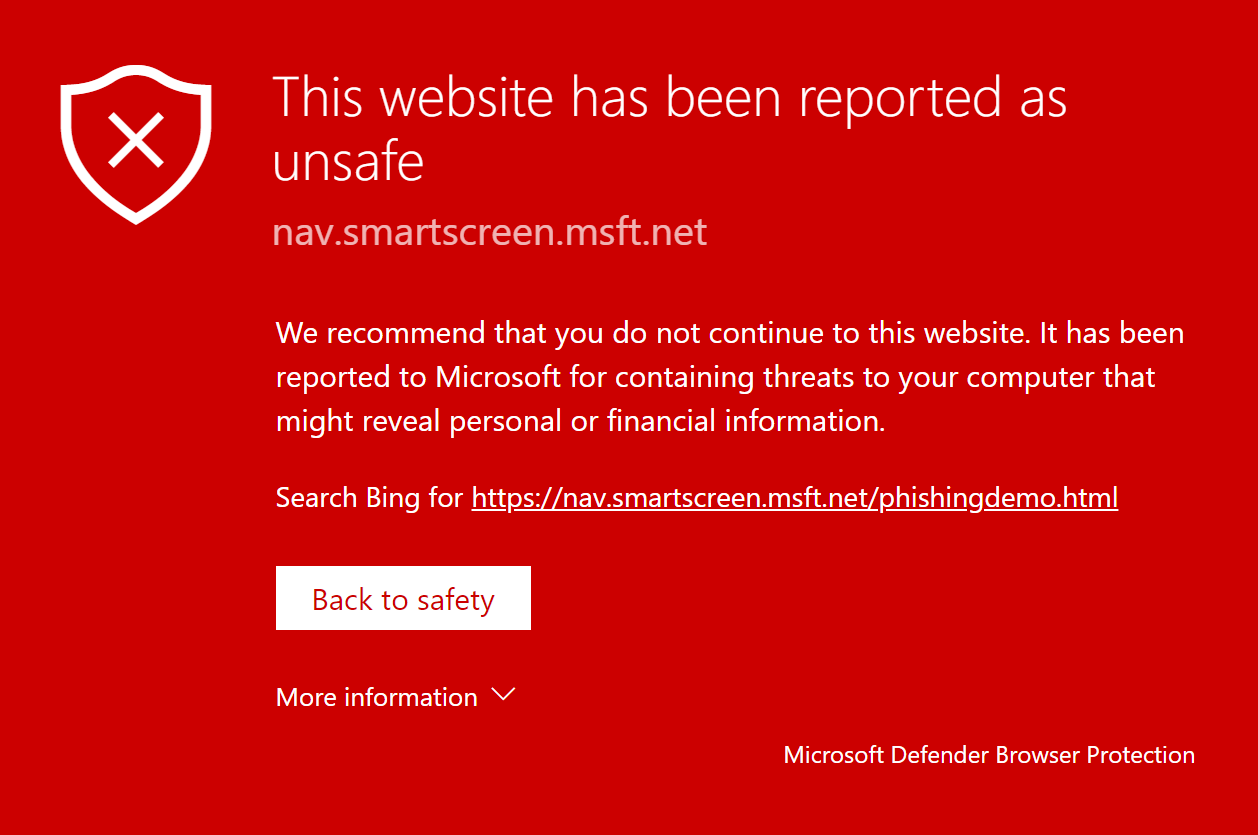

Demonstration of Microsoft Defender Browser Protection on Chrome. Pictured here is the warning that the website in question "has been reported as unsafe".
Integration with Internet Explorer and Microsoft Edge enables files to be scanned as they are downloaded to detect malicious software inadvertently downloaded. As of April 2018, Microsoft Defender is available for Google Chrome via an extension and works in conjunction with Google Safe Browsing, but as of late 2022, this extension is now deprecated.
Controlled Folder Access
Controlled Folder Access protects users' important files from ransomware. The feature sends a notification every time a program tries to access these folders and will be blocked unless given access by the user. If allowed, Windows will warn the user with a User Account Control pop-up as a final warning.
Real-time protection
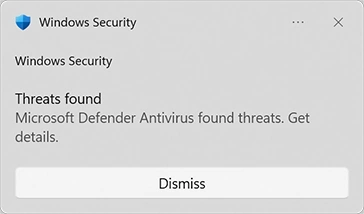

Windows Defender real-time notification
In the Windows Defender options, the user can configure real-time protection options. Windows 10's Anniversary Update introduced Limited Periodic Scanning, which optionally allows Windows Defender to scan a system periodically if another antivirus app is installed. It also introduced Block at First Sign, which uses machine learning to predict whether a file is malicious.
Tamper Protection
Introduced in Windows 10 version 1903, Tamper Protection protects certain security settings, such as antivirus settings, from being disabled or changed by unauthorized programs.
Reviews
During a December 2017 test of various anti-malware software carried out by AV-TEST on Windows 10, Windows Defender earned 6 out of 6 points in detection of different malware samples, earning its "AV-TEST Certified" seal.
During a February 2018 "Real-World Protection Test" performed by AV-Comparatives, Windows Defender achieved a 100% detection rate of malicious URL samples, along with 3 false positive results.
An AV-TEST test of Windows Defender in October 2019 demonstrated that it provides excellent protection against both viruses and zero-day/malware attacks.
On December 1, 2021, AV-TEST awarded Defender a maximum protection score of 34 points after successfully detecting all ten ransomware samples in a lab test.
References
External links
- Windows Security: Microsoft Defender Antivirus & More at Microsoft
- Microsoft 365 Defender
- Microsoft Defender Antivirus in Windows at Microsoft Docs (2022-01-27)
- Microsoft Defender for Endpoint
- Microsoft Defender for Endpoint on Mac at Microsoft Docs (2022-02-10)
- Microsoft Defender at Wikipedia
 |
Wikipedia (article: Microsoft Defender Antivirus)
|
|---|